Advanced Configuration (Custom Metadata)
Custom Metadata Setup
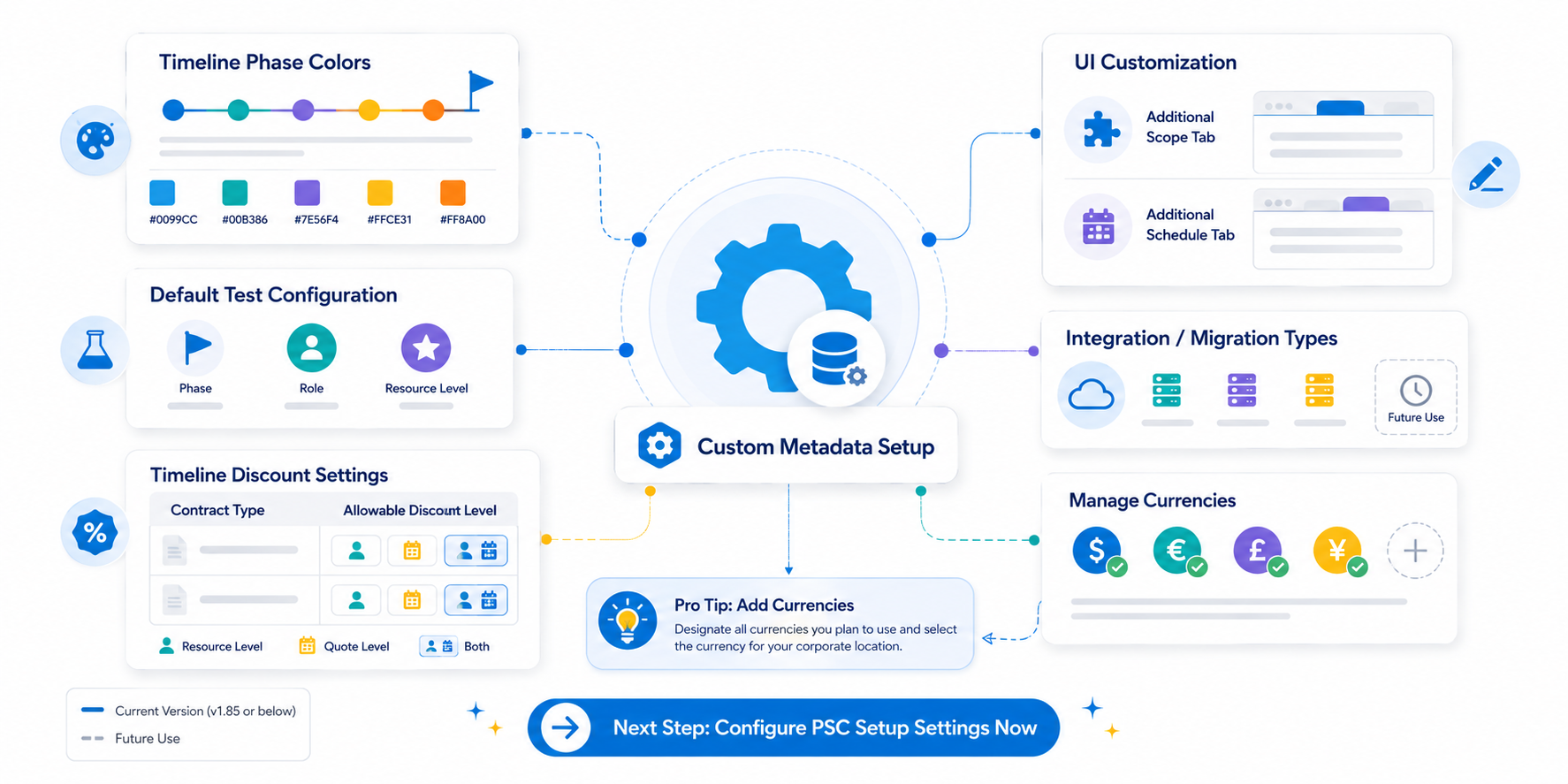
| A | If desired, you can edit some of the Custom Metadata Types. You can find these by clicking on the Setup icon and searching for the keyword 'meta' in the Quick Find box. From the suggestions, select 'Custom Metadata Types' , where you will be able to edit specific types such as PSC Default Color Configuration , PSC Default Test Configuration. |
| PSC Default Color Configuration |
The predefined color configurations align with timeline phases and milestones. You have the flexibility to modify or personalize the colors and phase names based on your 'Phase' picklist values. For example, if your project lifecycle includes a phase named 'Plan' defined in the global picklist values, enter 'Plan' in the 'Phase Name' field of a record to associate the color with that phase name.
| PSC Default Test Configuration |
This metadata type contains default values for test purposes. QuoteX uses the record of this custom metadata type for running test classes . The test classes need only three types of records from this (i.e. one for Phase, another for Role and one for Resource Level). All three types of records are part of the package - no need to create a new one for any type.
NOTE : Update the value on existing records only when you are changing or inactivating installed predefined values for Phase/Role/Resource Level. Modify Phase, Role and Resource Level with one of your organization's active values in the picklist fields.
| PSC Integration/Migration Types |
| ⚠ | IMPORTANT Please note that this is intended for future releases and are not applicable to the current version (v1.85 or below) of the product. You may disregard this information until those updates are available. |
This metadata setting stores the values for Integration/Migration types.
| PSC Timeline Discount Setting |
You can offer a discount level at the Resource Level only, Quote Level only, or allow discounts at the Resource Level and the Quote Level . Designate the allowable discount level based on the timeline contract type. Use this setting to configure your contract type discount.
- By default, the setting for both contract types is assumed to be ‘ Both .’ Reference the Timeline Discount Models section of the User Guide for details on application behavior for each discount model type.
| PSC Additional Scope Tab |
Select PSC Additional Scope Tab in the list of Custom Metadata Types.
| PSC Additional Schedule Tab |
Select PSC Additional Schedule Tab in the list of Custom Metadata Types.
| ℹ Info All remaining custom metadata types are for internal use only. No changes or modifications are required for these types. |
| 💡 | Pro Tip: Add Currencies You will need to designate all currencies that you plan to use. From the Setup , search for ' Manage Currencies '. Add all currencies that your company will use to create quotes. Be sure to select the currency in your corporate location. |
Next Step: Configure PSC Setup Settings Now