Configuring Non-Labor Expense Types (Other Costs)
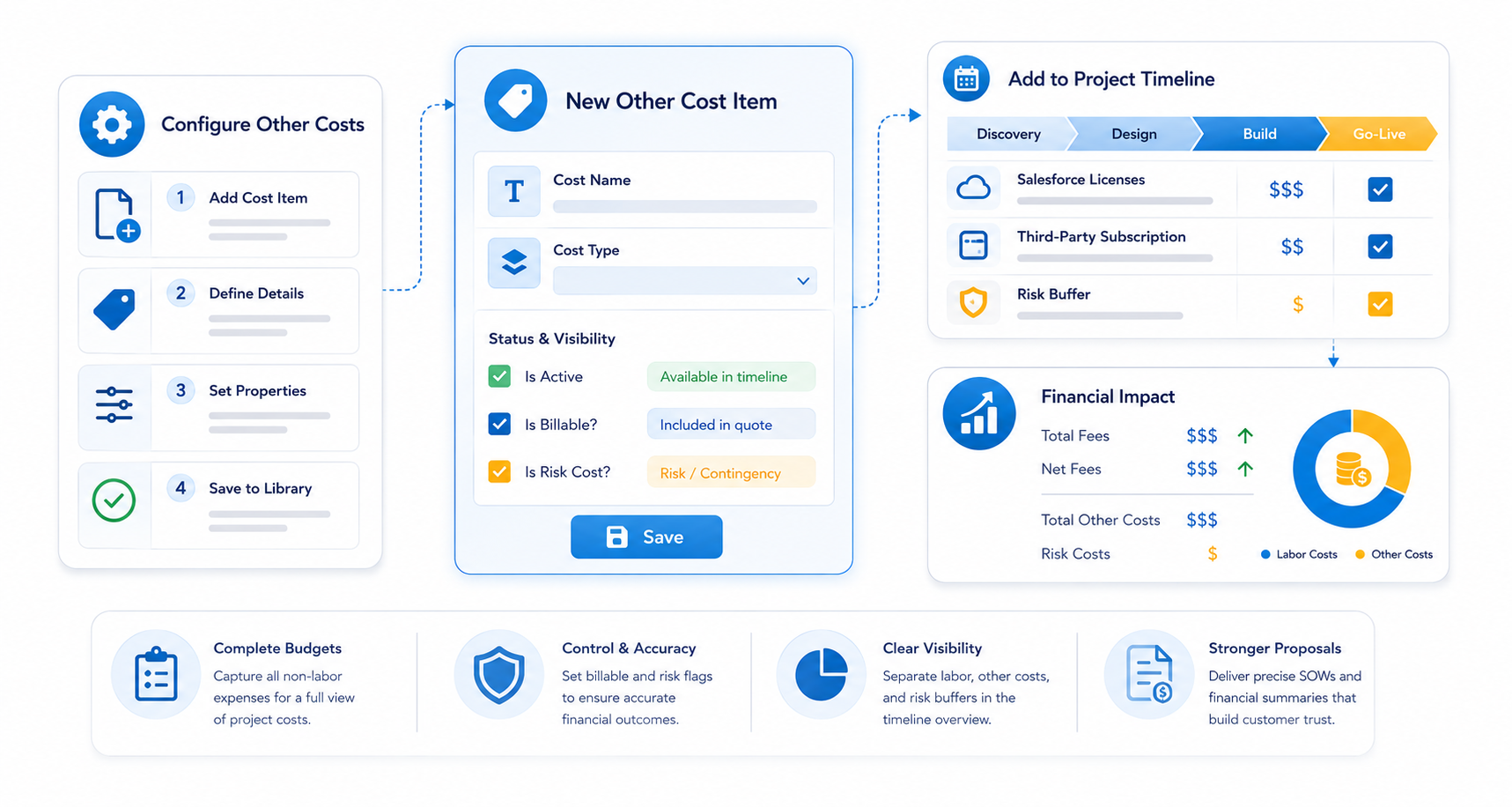
This guide explains how to configure PSC Other Costs . This feature is used to incorporate supplementary expenses—such as product subscription licenses or third-party hardware—into the overall project budget and financial summary.
Overview
In many projects, labor is only one part of the total cost. If your organization resells software licenses, manages subscriptions, or incurs specific project-related expenses that need to be invoiced to the customer through a Statement of Work (SOW), you use Other Costs to track these line items.
Setting Up Other Costs
To add standard "Other Cost" items to your library, navigate to the PSC Other Costs tab in the Pre Sales Cloud Admin App.
Step-by-Step Instructions:
- Initiate New Record: Click New or select + New PSC Other Costs from the tab dropdown.
- Cost Name: Enter a descriptive name for the item (e.g., "Salesforce Licenses" or "Third-Party Subscription").
- Cost Type: Classify the cost (e.g., "Other Cost") to ensure proper grouping in financial reports.
- Status & Visibility:
- Is Active: Check this box to make the cost item available for selection within the timeline scoping tool.
- Is Billable?: Select this checkbox if the cost should be included in the total project price presented to the customer.
- Is Risk Cost: Check this if the cost represents a contingency or risk buffer rather than a standard expense.
- Save: Click Save to finalize the record.
Financial Impact
When a user adds an "Other Cost" item to a project timeline:
- Billable Items: If marked as billable, the amount will be added to the Total Fees and Net Fees metrics in the Quote Summary.
- Overview Display: These costs are summarized in the "Total Other Costs" or "Risk Cost" sections of the Timeline Overview tab, providing a clear breakdown between labor and non-labor expenses.
Next Step: Setup Document Templates for SOW